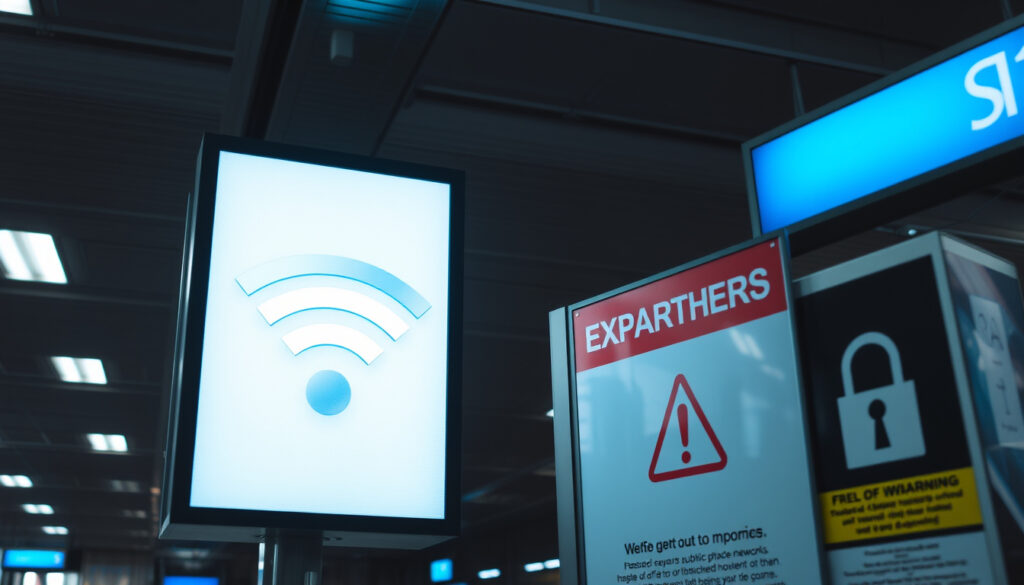
TSA Public Wi-Fi Warning: Airport & Hotel Wi-Fi Risks
Anyone who has ever clicked “Connect” on the first free airport Wi-Fi that popped up already knows the temptation: the internet, right there, no password — the exact moment the Transportation Security Administration’s latest warning targets. In August 2025, Forbes reported the TSA’s advice against entering sensitive information on unsecured public Wi-Fi, and here is what official cybersecurity guidance actually says, what remains unverified, and what travelers need to change.
TSA warning date: August 24, 2025 ·
Reported by: Forbes ·
TSA core warning: Do not enter sensitive info on unsecured Wi-Fi ·
Related Google questions: 12 airport and hotel Wi-Fi questions
Quick snapshot
- TSA’s public Wi-Fi warning was reported by Forbes on August 24, 2025.
- The core advice: do not enter sensitive information on unsecured Wi-Fi (TSA).
- Federal guidance points to cellular data as the safer alternative for banking and shopping (CISA).
- The exact primary TSA source document was not among the top search results reviewed for this report.
- Whether Philadelphia airport offers free Wi-Fi remains unanswered by those sources.
- No verified universal code exists to detect phone spyware.
- August 24, 2025: Forbes reported the TSA warning about unsecured public Wi-Fi at airports.
- Ongoing: security guidance continues to recommend VPNs, HTTPS checks, and caution on public networks (CISA, FTC).
- CISA’s travel guidance: confirm the exact network name with venue staff before connecting.
- If you connect, check for HTTPS before typing anything sensitive (FTC).
Eight rows, one pattern: the official advice keeps returning to the same rule — protect the data you type, not the network you borrow.
| TSA warning date | August 24, 2025 |
|---|---|
| TSA guidance | Avoid sensitive information on unsecured Wi-Fi |
| Most relevant traveler setting | Airports and hotels |
| Community counterpoint | Some Reddit users argue HTTPS makes public Wi-Fi snooping difficult |
| Federal baseline | Treat public Wi-Fi as unencrypted until the browser shows HTTPS (per FTC guidance) |
| Official alternative | Cellular data or a personal hotspot for banking and shopping (per CISA and CIS guidance) |
| Unverified | The primary TSA source document was not among the top search results reviewed |
| Unverified | Philadelphia airport free Wi-Fi availability was not confirmed by the sources reviewed |
What are the security risks of using public WiFi?
Public Wi-Fi fear usually comes in three flavors: someone snoops on your traffic, someone tricks you into joining a fake network, or someone drops malware on your device.
All three are possible. CISA (U.S. federal cybersecurity agency) warns that unsecured wireless networks can allow cybercriminals access to internet-enabled devices. The known risks have limits, though — and the limits are what change the advice.
Convenience is the bait: a free network saves your data plan while handing the network operator a record of which devices connected, when, and for how long. For ordinary browsing, that trade is acceptable. For sensitive logins, it is not.
Can someone see everything on my phone if I use their Wi-Fi?
- No — not everything. FTC (U.S. consumer protection agency) notes that widespread website encryption means public Wi-Fi is usually safe, provided the site shows HTTPS or the browser lock indicator.
- What remains exposed: traffic to any site that skips encryption, plus the simple fact that your device joined the network.
- What an attacker cannot see just by hosting the Wi-Fi: the contents of HTTPS-protected pages and app traffic.
The realistic reading: encryption has made the old “everything is visible” warning outdated for modern websites. The network can still see where you go, just not everything you say there.
Can someone see what I am doing on my phone through Wi-Fi?
- Through a secure site or app: no. The HTTPS session is encrypted end to end.
- Through anything that does not use HTTPS: yes — and that is where the exposure lives.
- Through background metadata: partly. Which domains you contact can leak even when the content itself is encrypted.
What this means: the riskiest moment on public Wi-Fi is not the connection itself. It is the first thing you type after joining.
Should I connect to airport Wi-Fi?
Short answer: yes, for low-stakes browsing — with a clear “no” for anything that involves a password or a payment. The TSA warning reported by Forbes on August 24, 2025 put it bluntly: travelers should not enter sensitive information on unsecured Wi-Fi.
That word “unsecured” is doing a lot of work. The official advice for travelers is to treat airport networks as public infrastructure with no privacy guarantee.
Airport Wi-Fi is a convenience, not a utility. If the task can wait until you are on cellular data or a hotel’s wired connection, the TSA warning and the federal guidance both point the same way: wait.
Does Philadelphia airport offer free Wi-Fi access?
- The sources reviewed for this report do not confirm whether Philadelphia airport provides free Wi-Fi. The question appears constantly in search results, but no official page surfaced.
- What the federal guidance does say: confirm the exact public Wi-Fi network name and login procedure with venue staff before connecting (CISA (U.S. federal cybersecurity agency)).
- If the network name does not match what staff describe, do not join.
For checking flight status, reading news, or messaging, airport Wi-Fi is fine. For banking, email, work logins, and payment forms, it is not. Center for Internet Security (nonprofit security authority) goes further: avoid public Wi-Fi unless absolutely necessary, and consider a phone carrier connection or a personal hotspot instead.
The pattern: the risk at an airport is not the terminal. It is the unsecured moment between “Connected” and “Logged in.”
Is hotel Wi-Fi safe if it has a password?
The password question confuses access with privacy. A network that requires a key is more private than one that doesn’t — but only if the hotel configured encryption properly, and even then the guest’s data is only as protected as that configuration.
FTC (U.S. consumer protection agency) advises users not to assume that a public Wi-Fi network is encrypted. From the guest’s perspective, a hotel network is a public network: staff, other guests, and the property itself all sit on it.
The hotel password is a door policy, not a privacy policy. It buys a seat on the network — not a guarantee that the network is encrypted, and not a promise that the property isn’t logging traffic.
Can hotels see what you do on their Wi-Fi?
- Yes, to a point: the hotel’s network can log when your device connects, how long it stays, and any unencrypted traffic it sends.
- No, not the content of HTTPS-protected pages — the same encryption that protects you at the airport applies here.
Can hotels check your browsing history?
- Potentially: connection logs can include the domains your device contacts, depending on how the hotel configures its network.
- Potentially not: the pages themselves stay encrypted when the site uses HTTPS, which is why the browser-lock check from the FTC guidance above matters.
The clue for guests: check the browser bar. If the site shows a lock and https://, the hotel sees the connection but not the content. If it doesn’t, assume it can see everything you type.
What this means: a hotel’s Wi-Fi is safer than a completely open airport hotspot, but “password-protected” is not the same as “private.”
Is it safe to log into your bank on hotel Wi-Fi?
This is the one question where the advice is unambiguous: no, not on an unsecured network. The TSA warning reported by Forbes said travelers should never enter sensitive information on unsecured Wi-Fi.
Federal guidance is just as direct. CISA (U.S. federal cybersecurity agency) recommends avoiding open Wi-Fi for banking, shopping, or other personal business, and using cellular data instead when the task can’t wait.
A banking session on hotel Wi-Fi is a transaction among your device, the network, and the bank. The network is the only link you don’t control. Banking apps and HTTPS help; they don’t remove the network from the chain.
The extra layer to remember: HTTPS is not a badge of trust. FTC (U.S. consumer protection agency) warns that encryption does not prove the website is legitimate — scammers can create encrypted fake sites that look exactly like a bank’s login page.
- Safer path for banking from a hotel room: turn off Wi-Fi and use the phone’s cellular connection, or activate a personal hotspot for a laptop.
- Banking apps still send data over the same network. Their encryption is what protects the session — not the network.
The same logic answers the common question “can public Wi-Fi steal passwords?”: only if the password travels without encryption. On an unsecured network, a password sent to an HTTP page is readable; on an HTTPS page, it isn’t.
The trade-off: convenience on one side, account access on the other. For a task that takes two minutes, switching to cellular data is the cheaper insurance.
How do I tell if my Wi-Fi is being monitored?
You usually can’t — not directly. A monitored network doesn’t announce itself. What you can do is watch for side effects and know what the network can and cannot see.
What is the code to see if someone is spying on your phone?
- There is no universal code. The claim that a short dialer code can reveal spyware is not supported by the sources reviewed for this report.
- What actually helps: checking which apps use unusual data, watching for unexpected battery drain, and reviewing account login activity.
- On the network side, “monitored” usually means background logging: the owner sees connections and unencrypted traffic, not a live view of your screen.
The honest answer has two layers. On the network layer, the owner sees connections and unencrypted traffic — the same exposure that makes airport and hotel networks a risk. On the device layer, spyware is a separate threat, and detecting it means looking for behavioral clues rather than typing a code.
- Signs worth investigating: a phone that heats up for no reason, a data bill that jumps, or password-reset emails you didn’t request.
- The response: update the phone, review connected devices on your accounts, and change passwords from a trusted connection.
The most reliable monitoring signal is not a code — it’s an account acting without you. A login from a strange location, a reset you didn’t trigger, a device you don’t recognize. Those traces show up in places you can actually check.
What this means: if you suspect monitoring, stop using the network, run a trusted security scan, and change your passwords from cellular data — not from the same Wi-Fi you’re testing.
How do you stop your internet provider from tracking you?
You can’t stop the network from seeing the connection. You can make that connection far less informative. The same principles that protect you on airport Wi-Fi apply at home: less unencrypted traffic means less tracking material.
Internet providers can collect connection metadata — which domains you visit, when, and how much data flows — and they can read unencrypted traffic. The fix is boring and effective: force encryption everywhere.
- Make HTTPS the default. The browser-lock check from the FTC guidance above is the minimum standard for any sensitive page.
- Add a VPN for travel. Ongoing security guidance for travelers continues to recommend VPNs to shield browsing from network operators.
- Use encrypted DNS so the network can’t harvest your domain lookups.
- When a task matters, use cellular data. It is a different network with a different owner, and the federal guidance treats it as the safer default for sensitive tasks.
The implication: tracking prevention is not about becoming invisible. It’s about making the visible part useless. Encrypted traffic doesn’t stop the log; it stops the log from meaning anything.
The real trade-off: public Wi-Fi pros and cons
Here is the honest scoreboard, with the official guidance applied.
Upsides
- Free and fast in most airports and hotels.
- Fine for reading, streaming, and low-stakes browsing — the FTC notes that encryption has made public Wi-Fi reasonably safe for ordinary use.
- Practical for laptop tasks that don’t touch accounts or payments.
Downsides
- Center for Internet Security (nonprofit security authority) recommends avoiding public Wi-Fi unless absolutely necessary.
- Unsecured or misconfigured networks can expose traffic to the network owner — the core of the TSA and CISA warnings.
- Look-alike network names, like “Free Airport Wi-Fi” instead of the official name, are a documented tactic.
- Banking and high-stakes logins need a fallback such as cellular data.
The implication: the downsides share one cause — data typed into a network you don’t control. The upsides share one condition: encryption verified before typing.
How to use airport and hotel Wi-Fi more safely: a pre-flight checklist
The steps below follow the official guidance directly, in the order you’ll actually use them.
- Confirm the network name with venue staff. The look-alike trick works because people trust the first name they see. Center for Internet Security (nonprofit security authority) says attackers create look-alike networks with slight misspellings, so verify the exact name before joining.
- Switch off auto-join and Bluetooth. Federal travel guidance recommends disabling remote connectivity and Bluetooth when they aren’t needed, so your phone doesn’t introduce itself to every network in the terminal.
- Check for HTTPS before typing. The lock icon is the basic literacy test for any page that asks for a password.
- Use cellular data for sensitive tasks. Banking, payment forms, and password changes belong on the phone network, not the airport’s.
- Sign out when you’re done. Staying permanently logged in turns a small risk into a standing invitation.
- Keep everything updated. Updated phones and browsers close the holes that unsecured networks let attackers reach.
What this means: the checklist isn’t about fear. It’s about making the decision automatic so you don’t have to think about it at the gate.
Timeline signal
Two moments matter in this story: the news hook and the ongoing guidance.
- : Forbes reported the TSA warning about unsecured public Wi-Fi and airports, with the core advice to avoid sensitive information.
- Ongoing: U.S. cybersecurity guidance continues to recommend VPNs, HTTPS checks, and caution on public Wi-Fi networks.
The pattern: the TSA warning added a news hook, but the underlying advice has been stable — encryption first, cellular data as the fallback, caution on every network you don’t own.
Confirmed facts vs. what’s unclear
The research for this report splits cleanly into what’s confirmed and what isn’t.
Confirmed facts
- The TSA public Wi-Fi warning was reported on August 24, 2025.
- The TSA said travelers should not enter sensitive info on unsecured Wi-Fi.
- The top search results for this topic included Forbes, Instagram, TikTok, and Reddit — with Forbes as the only substantive editorial article.
What’s unclear
- The exact primary TSA source document was not in the top results reviewed for this report.
- Whether Philadelphia airport offers free Wi-Fi is not answered by the sources reviewed.
- The existence of a reliable code to see if someone is spying on your phone is unverified.
What this means: the unverified items matter as much as the confirmed ones. They are the places where a reader should keep looking for official answers rather than trusting a viral post.
What travelers and experts say
The public debate on airport Wi-Fi splits into two camps: the official warning and the skeptical user.
Do not ever enter sensitive info while using unsecured Wi-Fi.
TSA warning, as reported by Forbes on August 24, 2025
HTTPS and SSL encryption make snooping on public Wi-Fi difficult — the fear is often overblown.
Commenter on Reddit’s r/Scams forum
Both statements are true in different contexts. The official warning is designed for the worst case: unsecured network, unencrypted site, sensitive data. The Reddit counterpoint describes the average case: modern sites encrypt, so the exposure is narrower than the warning implies. The federal guidance lands between the two — encryption helps, but don’t test it with your bank account.
The middle ground: treat public Wi-Fi like a cash machine in a busy terminal — fine for quick tasks, wrong place for anything that costs money if it goes wrong.
The TSA warning from August 24, 2025 did not invent a new threat; it put a familiar one back on travelers’ radar. The official guidance from CISA, the FTC, and the Center for Internet Security agrees on the fix: encryption works, unencrypted traffic is the weak point, and cellular data is the fallback. For travelers, the choice is clear: treat airport and hotel Wi-Fi like a public bench — fine for reading the news, not for typing a password — or switch to cellular data for anything that can drain an account.
Related reading
Planning a trip? These guides pair well with the privacy rules above.
- Hotels in New Orleans: Best Areas & Budget Tips
- Turks and Caicos Resorts: Best for Couples, Families & Luxury
consumer.ftc.gov, cisecurity.org, consumer.ftc.gov, hp.com, techsafety.org.au
Frequently asked questions
What exactly did the TSA warn about public Wi-Fi?
The warning, reported by Forbes on August 24, 2025, said travelers should not enter sensitive information while using unsecured Wi-Fi. The federal guidance around it is the same rule CISA applies to banking and shopping: don’t do those on an open network; use cellular data when you must.
Does a VPN hide your browsing history from a hotel or airport network?
Mostly. A VPN encrypts traffic between your device and the VPN server, so the network sees only that you’re connected to a VPN server, not which sites you visit. It doesn’t stop phishing or device malware, so the HTTPS check and updated software still matter.
What signs suggest a fake airport Wi-Fi network?
The name. Look-alike networks with slight misspellings are a documented tactic, which is why the guidance is to confirm the exact network name with venue staff before connecting. If the network that appears on your phone doesn’t match what staff describe, treat it as a trap.
Can public Wi-Fi infect your phone with malware?
It can, in theory: an unsecured network can give an attacker a route to your device. The practical defenses are the boring ones — keep the operating system and apps updated, avoid unsolicited “update” prompts on public networks, and use cellular data for sensitive tasks.
Is it safe to use airport charging stations?
The official advisories reviewed for this report focus on network traffic, not charging ports. The closest federal travel guidance is to keep devices secured and maintained while in airports and hotels. If a charging port looks tampered with, don’t use it.
When should you avoid using public Wi-Fi entirely?
Whenever the task involves money, identity, or access: banking, payment forms, email, work logins, or anything that could reset a password. Those are the situations where the TSA and CISA guidance both say the same thing — switch to cellular data and do it there.
More related posts
 Sunrisers Hyderabad vs Gujarat Titans Timeline: IPL History
 Matthew 6:33 Meaning: Seek First the Kingdom of God (Guide)
 Navy Federal Mortgage Rates 2026: Current Rates & Refinancing
 Happy Gilmore 2 Cast: Full List of Actors and Cameos
 Love Island Season 3: Cast, Winner, and Cultural Impact
 Things to Do in Portland Oregon – Top Attractions and Local Tips
 Taco Bell Chicken Nuggets: Price, Nutrition & Return Date
 Kylie Jenner Met Gala 2026: Dress, Mishap, Chalamet Absent